Anzeigen

Cloud Storage has become one of the most widely used digital solutions for beginners who want a simple and reliable way to save files securely without relying entirely on physical devices.
This technology stores information on remote servers managed by professional providers, allowing users to access documents, photos, and videos from anywhere with an internet connection.
Its convenience helps individuals protect important data from device damage, accidental deletion, or unexpected hardware failures that often occur without warning.
Cloud services automatically back up digital content and provide seamless synchronization across smartphones, computers, and tablets, ensuring the same files remain available on every device used.
Many beginners rely on cloud systems because they eliminate the need for manual transfers or external drives, creating a cleaner, safer, and more organized storage environment.
Anzeigen
This article explains in detail how cloud storage works, why it is secure, and how beginners can choose the best provider for personal or professional use.
1. What Cloud Storage Really Is and Why It Matters
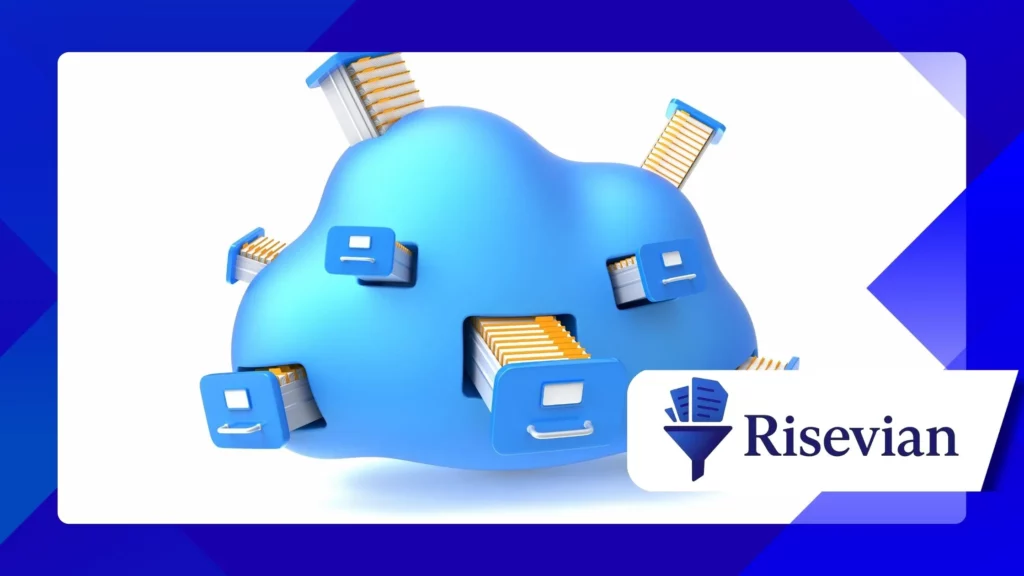
Cloud storage allows users to save data on remote servers instead of keeping everything on a personal device, giving them access to files from anywhere and helping prevent data loss during emergencies or technical issues.
These servers are maintained by specialized companies that ensure continuous uptime, strong backup systems, and fast access, providing a level of reliability that personal hardware cannot consistently match. This support helps beginners feel secure.
Cloud storage is important because modern digital life requires constant access to information across multiple devices, making remote access a necessity rather than a luxury for most users. This flexibility enhances productivity.
Remote servers make it easier for individuals to collaborate by sharing files with coworkers, friends, and team members without sending large email attachments or transferring data manually. This improves workflow greatly.
Its simplicity and strong protective systems make cloud storage a useful solution for students, families, freelancers, and small businesses looking to keep their digital content safe and accessible.
2. How Cloud Storage Works Behind the Scenes
Cloud storage operates using a network of servers located in large data centers that store data in multiple copies across different physical locations, providing strong redundancy against failures. This structure ensures high reliability.
These data centers use security protocols and encryption methods that prevent unauthorized access, ensuring that only the account owner can view or modify stored files. This protection is crucial for sensitive information.
When a user uploads a file, the file is broken into smaller parts and distributed across secure server clusters that automatically rebuild the content during retrieval. This process improves speed and resilience.
Cloud systems use synchronization technology that constantly updates file versions so users always see the most recent copy regardless of which device they use. This helps maintain consistency in daily routines.
Advanced providers invest in large-scale infrastructure that minimizes downtime and guarantees stable performance even during high traffic or unexpected service interruptions.
3. Security Measures That Keep Your Data Safe
Reliable cloud services rely on multiple layers of security that include encryption, authentication, and network monitoring to protect user information from cyberattacks and unauthorized access attempts. This enhances user confidence.
Encryption scrambles data before it leaves a device, making it unreadable to outsiders, and only the rightful user has the keys to decode and access it. This prevents intrusions during transmission.
Providers also use two-factor authentication that requires additional verification steps to log in, reducing the risk of someone accessing files using stolen passwords. This feature strengthens overall safety.
Many cloud platforms hire cybersecurity experts to monitor their systems and conduct regular vulnerability testing to identify and repair potential weaknesses before they can be exploited. This reduces long-term risk.
Forschungsergebnisse der Nationales Institut für Standards und Technologie highlights the effectiveness of these layered defenses, reinforcing the idea that cloud security surpasses many traditional storage methods.
4. Popular Cloud Storage Services and Their Key Features
Several major cloud providers offer user-friendly platforms that focus on convenience, speed, and strong security, making them excellent choices for beginners who want reliable solutions without complicated tools. These providers simplify setup.
Google Drive remains one of the most accessible platforms, offering seamless integration with Google’s office applications and generous free storage options suitable for students and casual users. This versatility supports many workflows.
Microsoft OneDrive connects closely with Windows and Office apps, giving users easy ways to save documents, edit files online, and synchronize work across devices without extra effort. This integration boosts efficiency.
Apple iCloud focuses on simplicity and privacy, maintaining secure backups for photos, contacts, and device settings while syncing all content across iPhones, iPads, and Macs automatically. This ecosystem benefits Apple users.
These options make cloud storage more approachable and help beginners choose a platform that fits their needs without requiring technical experience or specialized knowledge.
+ Wie KI-Tools den Alltag im Jahr 2025 verändern werden
5. Benefits of Using Cloud Storage for Beginners
One of the biggest advantages for beginners is the ability to access files from anywhere, allowing them to work or study from different locations without carrying external drives. This convenience improves daily flexibility.
Cloud storage automatically backs up important files, reducing the risk of losing precious photos or critical documents because of device issues such as damage, theft, or accidental formatting. This reassurance motivates consistent use.
These platforms allow users to share files instantly with others using simple links, eliminating complicated steps that often confuse beginners during collaboration or document submission processes. This helps streamline communication.
Storing files in the cloud saves physical space on devices and prevents slow performance caused by overloaded memory. This is particularly helpful for users with older smartphones and laptops. This optimization enhances usability.
Cloud systems adjust to growing storage needs, allowing beginners to start small and upgrade only when necessary, making the technology cost-effective for long-term usage.
6. Choosing the Right Cloud Storage Provider
Choosing the right provider requires beginners to evaluate storage capacity, pricing, compatibility, and ease of use based on their personal or professional needs. These factors determine long-term satisfaction.
Users should consider which devices they own because certain cloud services work better within specific ecosystems, such as Apple iCloud with iPhones or OneDrive with Windows systems. This compatibility reduces setup issues.
Pricing plans differ between platforms, and beginners benefit from comparing free tiers, paid upgrades, and long-term subscription costs before committing to a specific service. This prevents unnecessary expenses.
Security features such as encryption, authentication, and data redundancy should be priorities for individuals storing sensitive information like documents or personal photos. These protections provide essential peace of mind.
Der Bundeshandelskommission recommends choosing providers that clearly explain their privacy policies, allowing users to understand how their data is managed and protected by the service.
Table: Comparison of Major Cloud Storage Providers
| Provider | Am besten geeignet für | Free Storage | Key Features | Ideal User |
|---|---|---|---|---|
| Google Drive | Everyday use | 15 GB | Collaboration tools | Studenten |
| OneDrive | Windows integration | 5 GB | Office syncing | Professionals |
| iCloud | Apple users | 5 GB | Automatic backups | Families |
| Dropbox | Simple sharing | 2 GB | Fast syncing | Freelancers |
| Mega | Privacy-focused users | 20 GB | Encrypted storage | Security-conscious users |
Abschluss
Cloud storage has become an essential tool for beginners who want a secure, convenient, and flexible way to manage their digital content without relying solely on physical devices that can fail unexpectedly.
Its ability to synchronize files across multiple devices, protect data with strong encryption, and maintain reliable backups makes it a powerful solution for users of all ages and skill levels.
The continuous improvements in access speeds, collaboration tools, and security standards demonstrate that cloud storage will remain a key part of modern digital life well into the future.
Beginners who choose a reliable provider will benefit from long-term peace of mind, enhanced organization, and a more efficient digital lifestyle supported by dependable cloud technology.
Häufig gestellte Fragen
1. Is cloud storage safe for personal photos?
Yes, major cloud providers use strong encryption and authentication tools to protect personal files effectively.
2. Can beginners use cloud storage without technical knowledge?
Cloud platforms are designed for simplicity, making them easy for users of all experience levels.
3. Does cloud storage require internet access?
Yes, uploading and accessing files require an internet connection for proper synchronization.
4. Are free cloud plans enough for most users?
Free plans cover basic needs, but frequent users may need additional space as storage demands grow.
5. Can I switch cloud providers easily?
Yes, users can download their files and upload them to a new provider with minimal difficulty.
+ Die wichtigsten Technologietrends, die die Zukunft der Arbeit prägen